
The Bible,
in five minutes a day.
Most Bible apps are a reading plan you feel guilty about. KingLio is a small daily habit you look forward to. A lesson, a game, a verse, and one streak your whole family keeps together.
Works in your browser right now. No account needed to start, and you can add it to your home screen in about ten seconds.
Five minutes, then get on with your day
Open it, and there is one short quest waiting, never a wall of choices. Read a verse, play one game, learn one thing, take a moment to pray. Finish it and the streak moves.
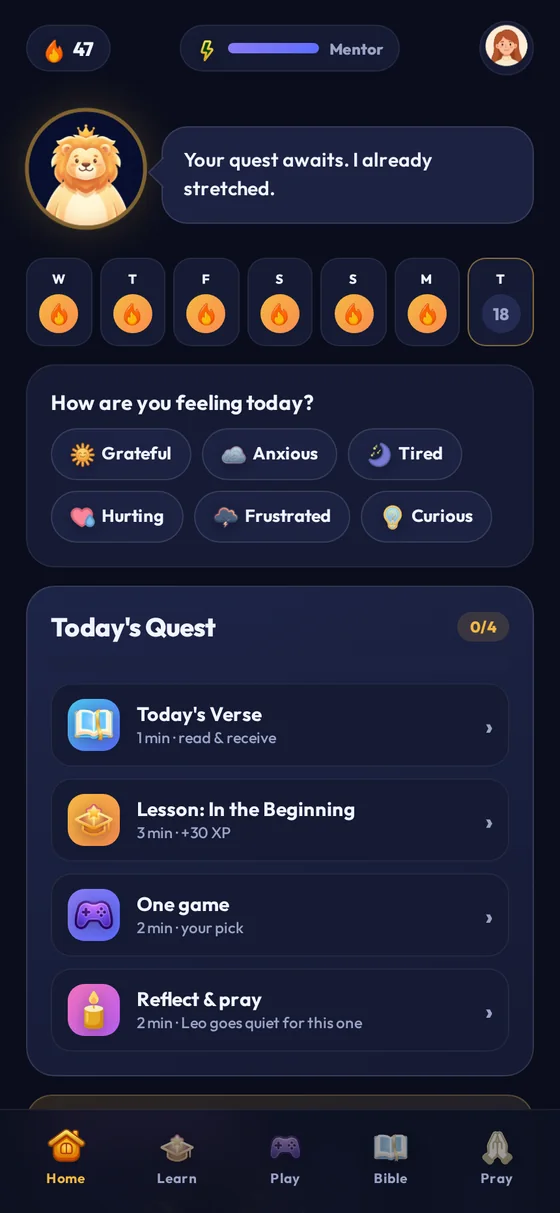
Today's quest
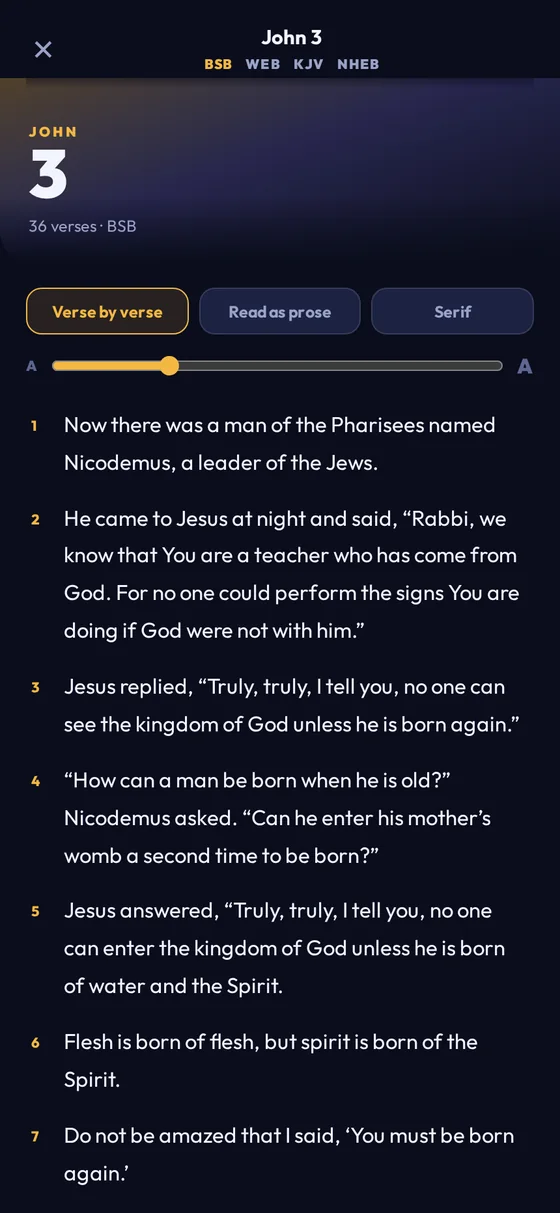
The reader
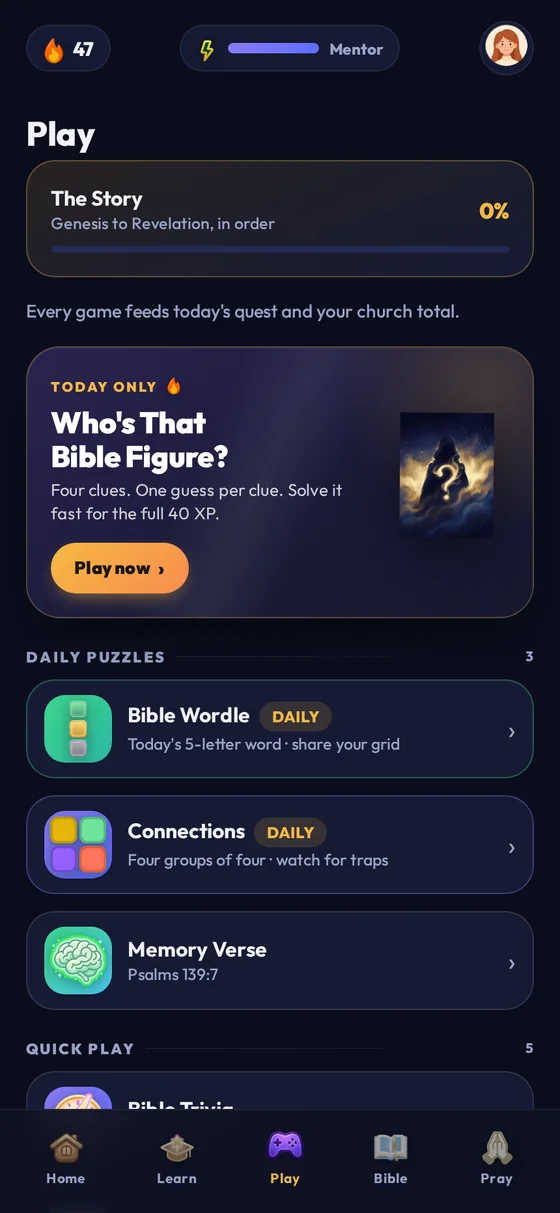
Daily puzzles
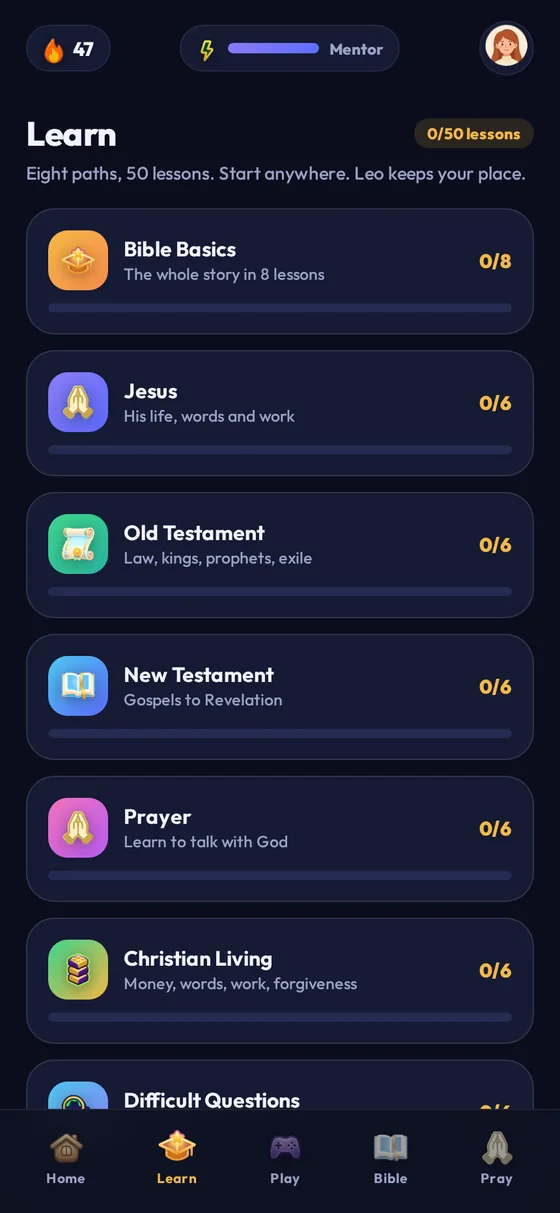
Eight paths
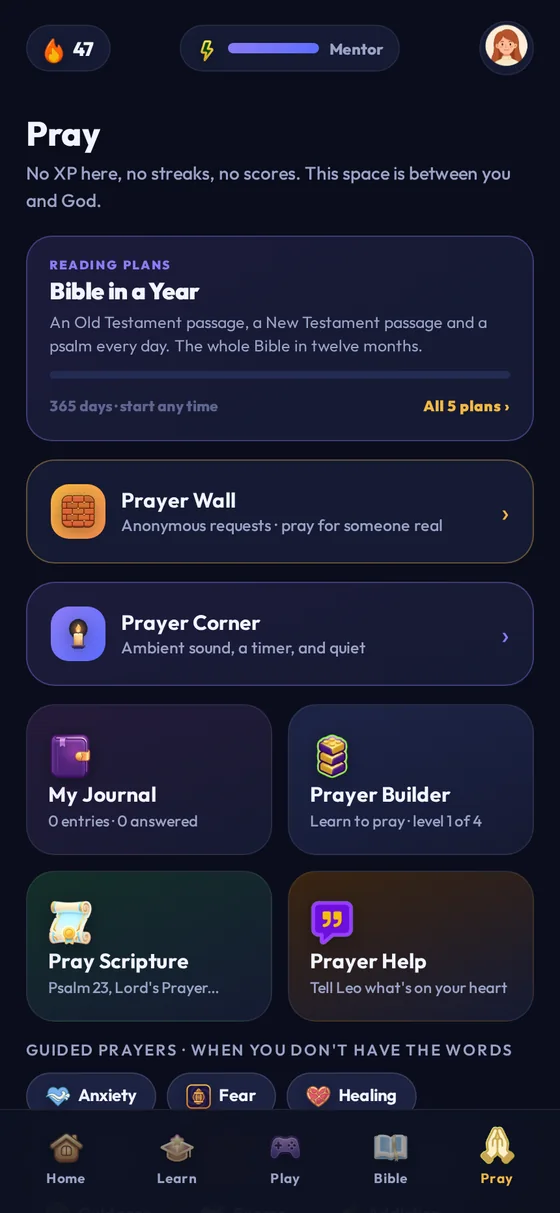
A quiet space
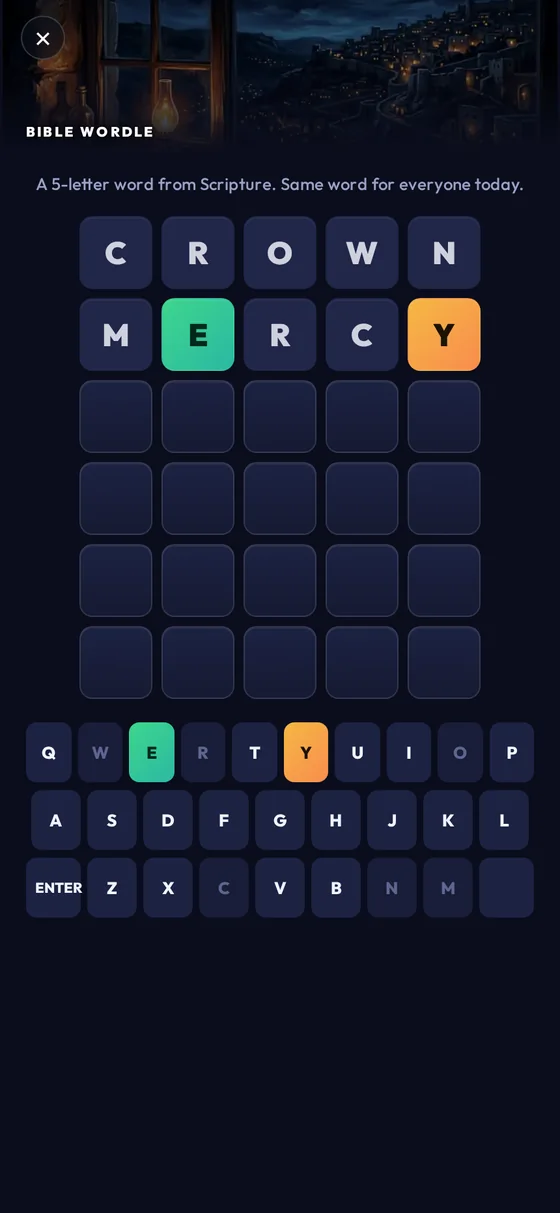
Bible Wordle
Games that survive a family living room
Sixteen of them, and the good ones are loud. Bible Feud has a Pass & Play mode for two teams on one phone. Heads Up is played by holding the phone on your forehead while everyone shouts. Wordle and Connections are the quiet ones, for the bus.
- A new puzzle every day, the same one for everybody
- Teams, timers and a proper argument about the answers
- Everything you play feeds the same daily streak

The whole Bible, four translations, no signal required
All 1,189 chapters ship inside the app, so it works on a plane, in a basement, or on a phone with no data left. Read verse by verse, or switch to prose and it reads like a book.
- Berean Standard, World English, King James, New Heart English
- Five reading plans, including the Bible in a year
- Highlight a verse, save it, and it lands in your journal

A streak you keep as a family, not alone
A Circle is a private group: your household, or a few friends. Everyone's daily check-in feeds one shared flame, so the person who nearly skipped today has a reason not to.
- Join with a short code. No searching for anyone, no public profiles
- Children get their own phone without needing an email address
- An empty Circle deletes itself, so nothing lingers

One room in the app with no points in it
A prayer journal that stays on your phone, guided prayers for the days you have no words, and a breathing space with nothing to win. No XP, no streak, no score. Some things should not be gamified, and prayer is the obvious one.

The whole app, one screen at a time
Twelve places to go, and no menu you need a map for.
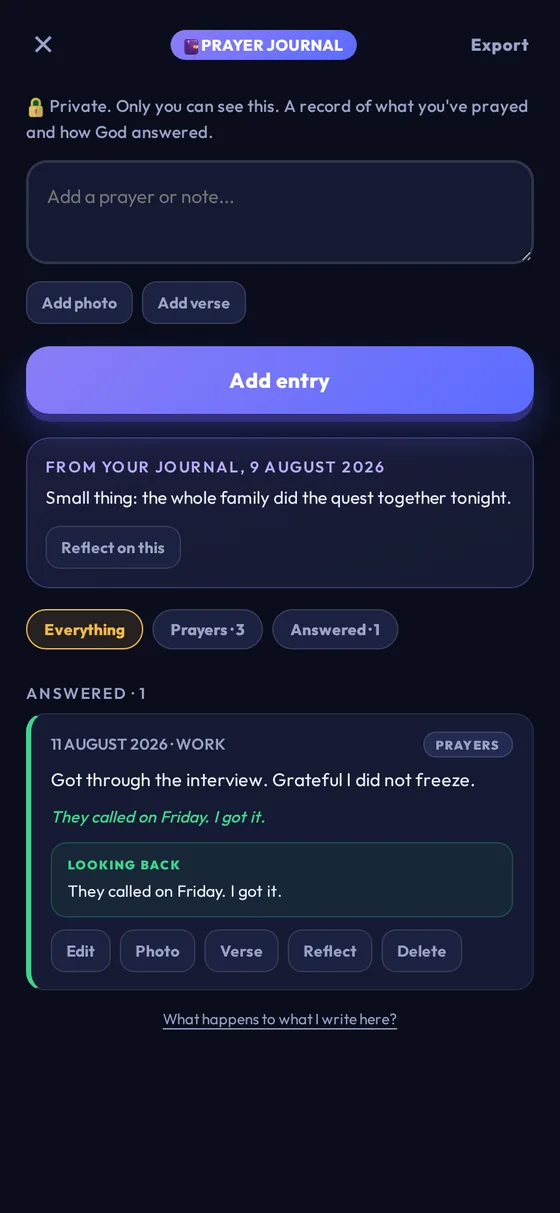
Prayer journal
Write it down, mark it answered later, and look back. Entries never leave your phone, not even to us.
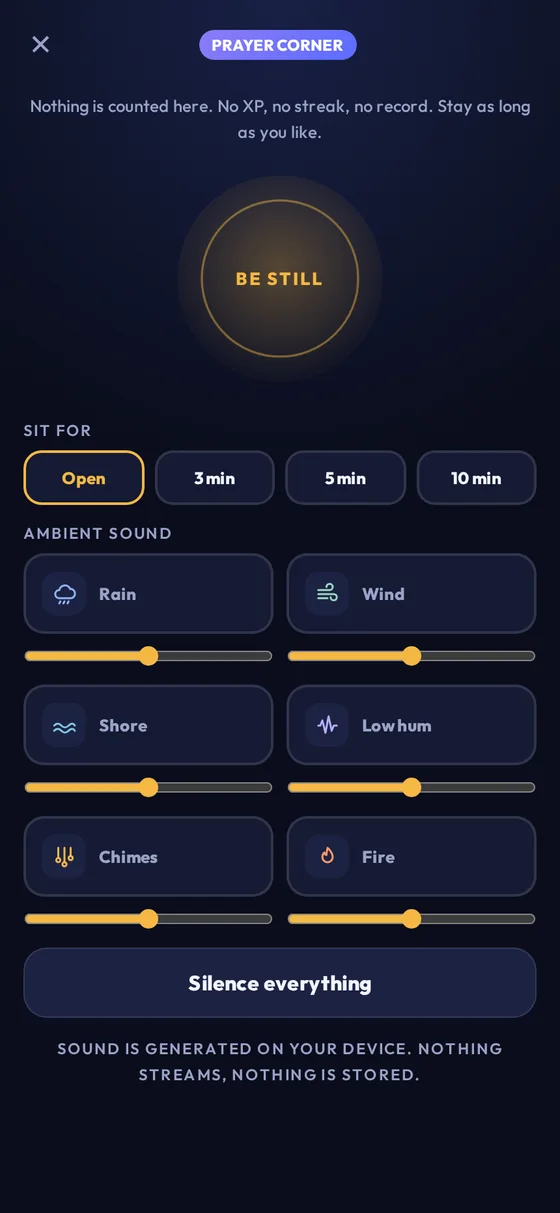
Prayer corner
A full-screen quiet space with ambient sound and a timer. Nothing to score, nothing to finish.
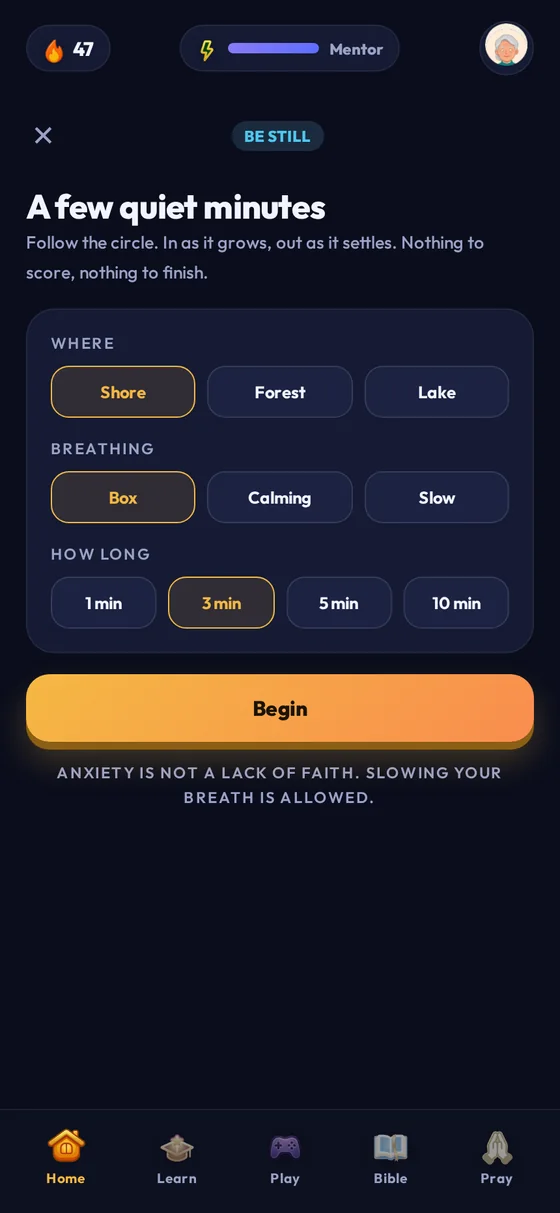
Be still
Guided breathing against a calm scene, with a verse to sit with. Four patterns, no XP.
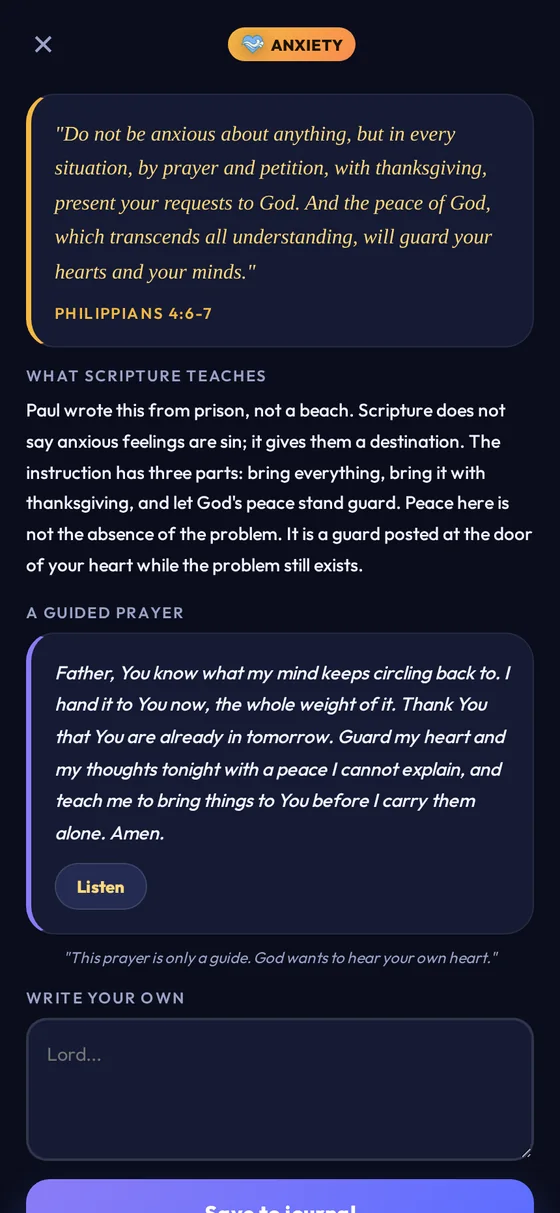
Guided prayers
For anxiety, grief, gratitude, forgiveness. For the days you want to pray and have no words.
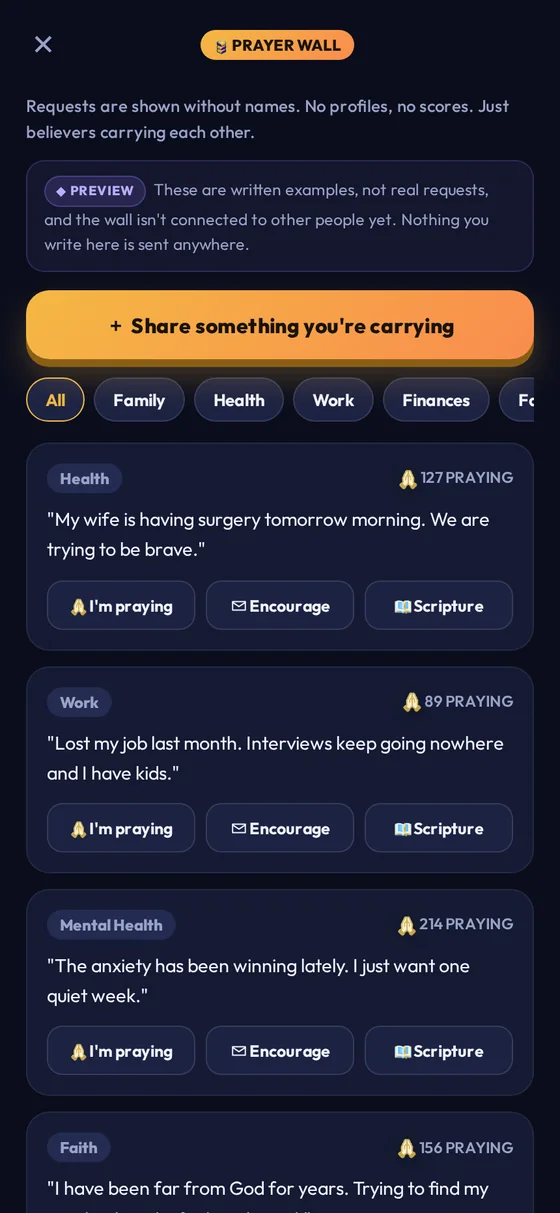
Prayer wall
Requests without names or profiles. Currently written examples, and the app says so on the screen.
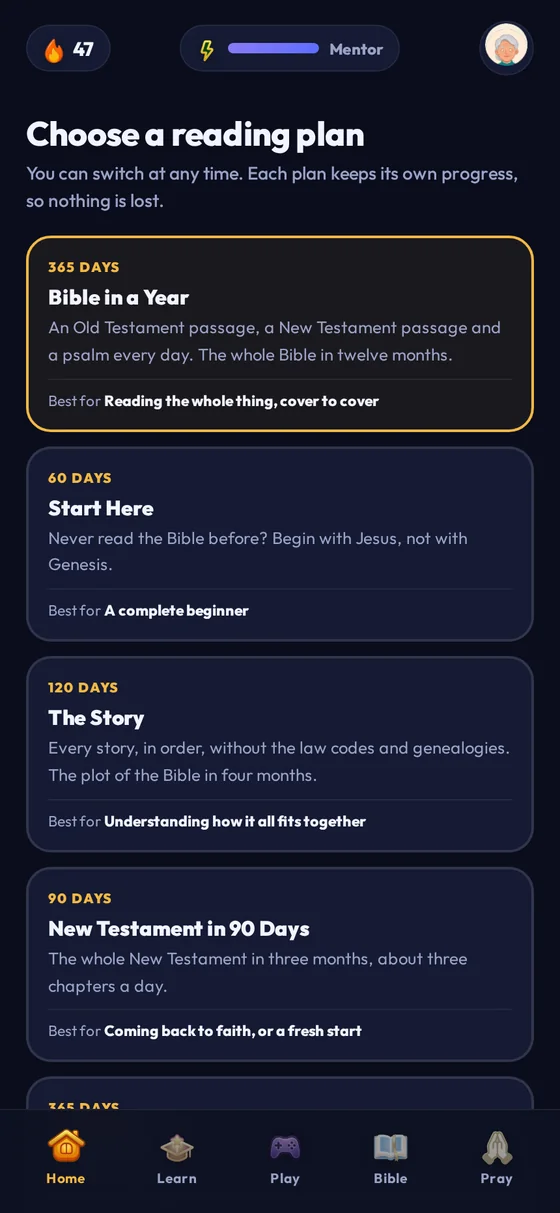
Reading plans
Five of them, including the Bible in a year. Switch whenever you like; each keeps its own progress.
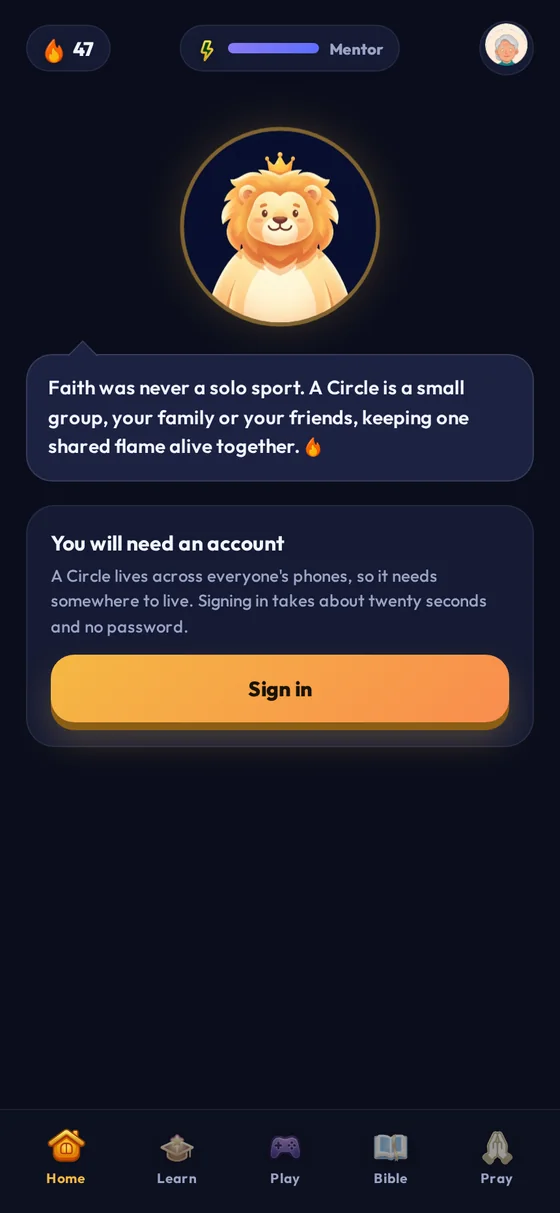
Circles
A private group with a shared flame. Join with a code. No searching for people, no public profiles.
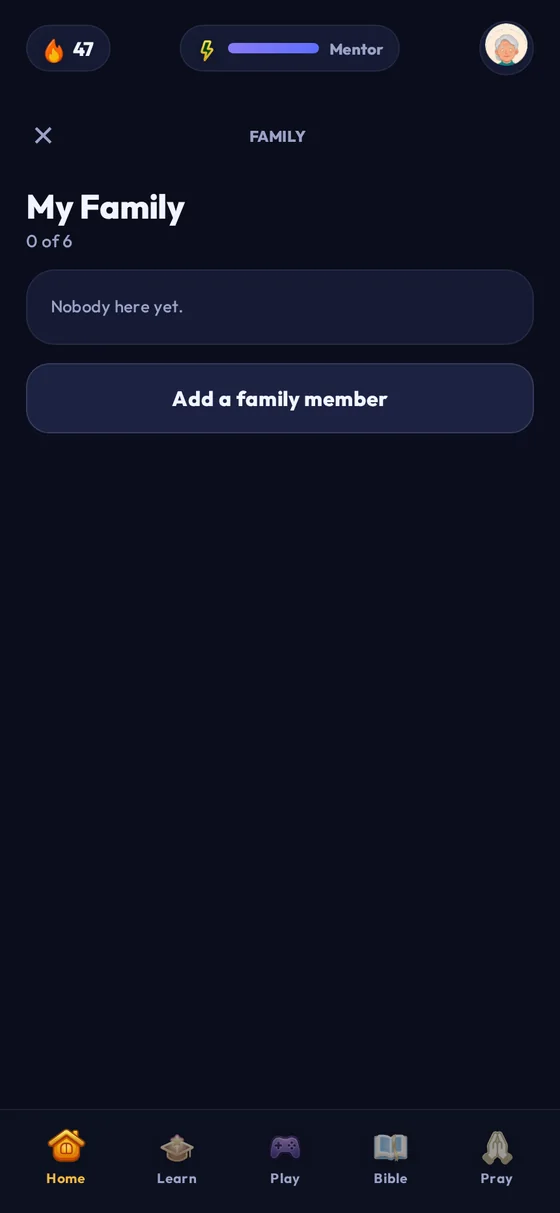
Family Mode
A parent PIN, and per-child control of the wall, Ask Leo and the harder questions. The PIN stays on the phone.
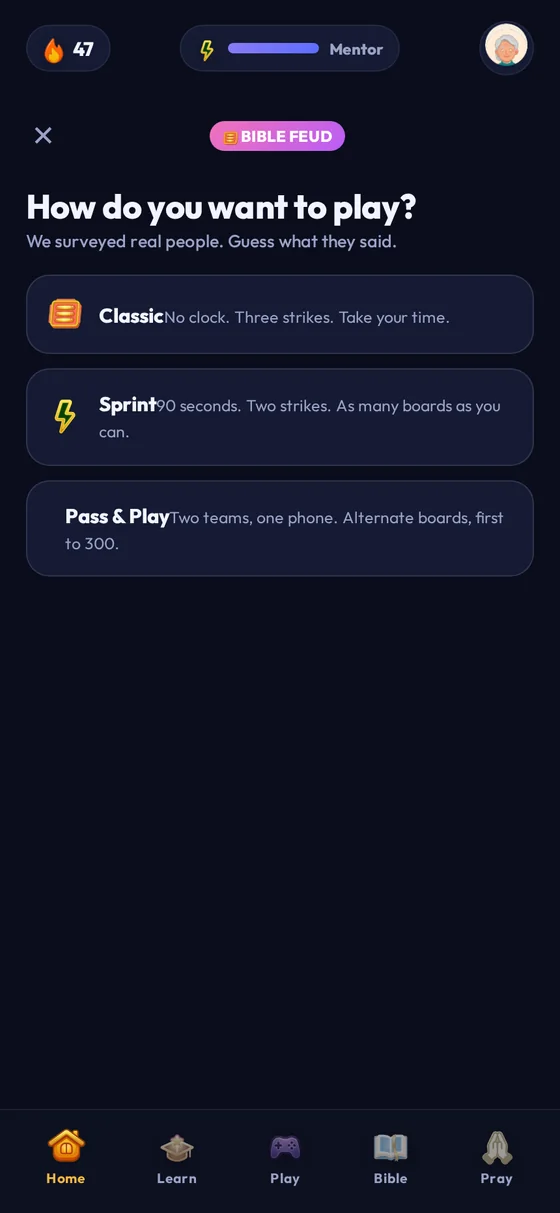
Bible Feud
Classic, Sprint, or two teams on one phone. The loud one.
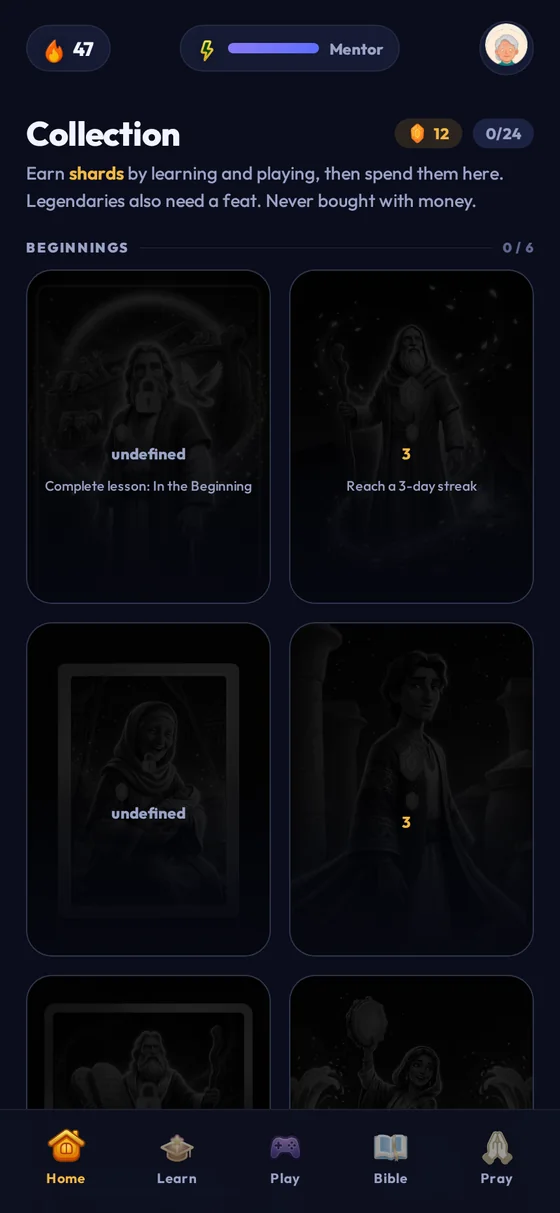
Collections
Earn shards, unlock character cards, read the story on the back of each one.
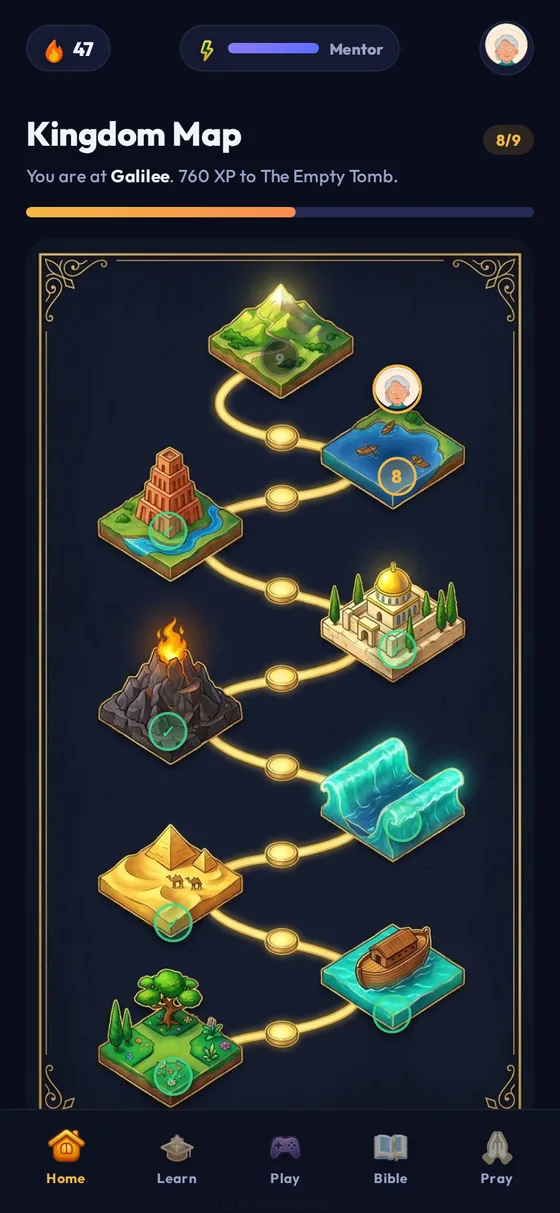
Kingdom Map
Your progress as a journey through real places, from Eden to Galilee.
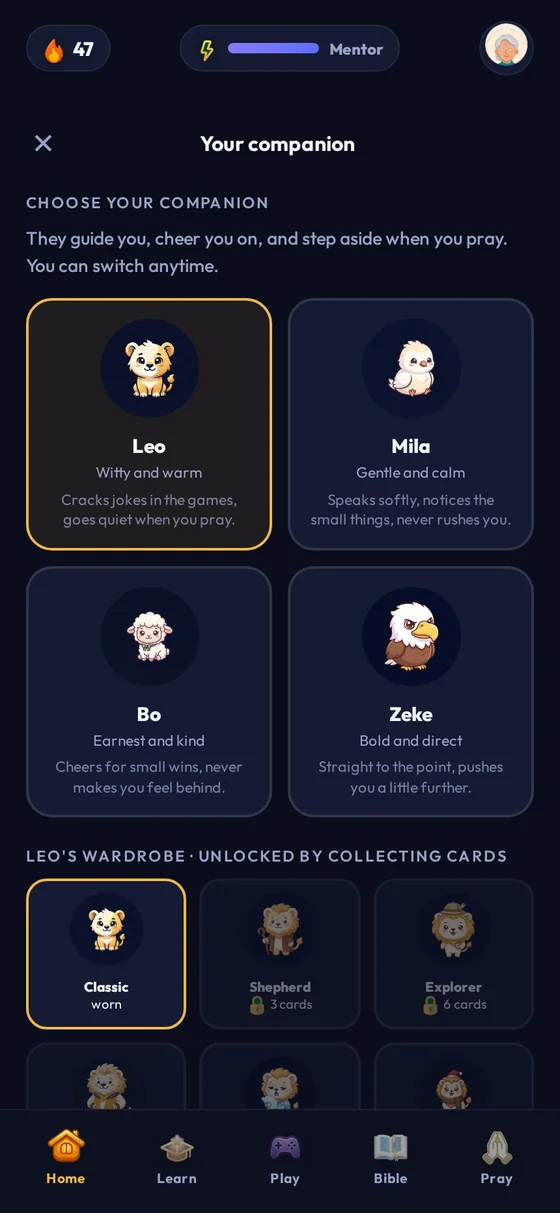
Your companion
Leo grows from cub to lion to king as your streak does. Or pick a different animal entirely.
Sixteen games
Add it to your home screen
KingLio runs in the browser today, and installs to your home screen like a normal app: full screen, its own icon, works offline. The App Store and Google Play versions are being prepared.
- Open kinglio.app in Safari. This only works in Safari, not Chrome.
- Tap Open KingLio, and let the page finish loading once.
- Tap the Share button, the square with the arrow coming out of it.
- Scroll down and tap Add to Home Screen, then Add.
- Close Safari and open KingLio from your home screen. It runs full screen from now on.
- Open kinglio.app in Chrome.
- Tap Open KingLio, and let the page finish loading once.
- Chrome usually offers Install app at the bottom. Tap it.
- If it doesn't, tap the ⋮ menu and choose Add to Home screen.
- Open KingLio from your home screen. It runs full screen from now on.
What KingLio is not
It seems better to say this on the way in than to let you find out later.
Not a pastor
It is a learning app, and it can be wrong. Where Christians genuinely disagree it tries to show the positions rather than rule between them. Your church comes first.
Not a counsellor
It gives no medical, legal or mental-health advice. If a message looks like a crisis, the app stops being clever and shows you real helplines instead.
Not finished
It is early. Some things on the roadmap, such as the phone-store apps, lock-screen widgets and a real study assistant, do not exist yet, and this page will not pretend they do.

Start tonight. It takes five minutes.
Nothing to install, nothing to pay, no card. Open it, answer one question, and see whether your family asks for it again tomorrow.